
I started this hands-on test by evaluating IWIHOST VPS for PostgreSQL as the network or infrastructure layer for this specific workflow. A database server has very different needs from a simple brochure website. Memory pressure, random disk I/O, backups, connection limits, and recovery procedures matter more than flashy control panels. I tested IWIHOST as a conventional KVM VPS base for PostgreSQL and other self-managed database workloads, looking at the published RAM tiers, NVMe storage, network port, location choice, and the operational tasks a small team must handle itself.
I did not run a long-term production benchmark or claim transactions-per-second figures from a short review. My test was about deployment fit: can the plan structure support a sensible PostgreSQL setup, where does a small plan become too constrained, and what should be configured before important data is placed on the server? The answer depends as much on administration discipline as on the VPS itself.
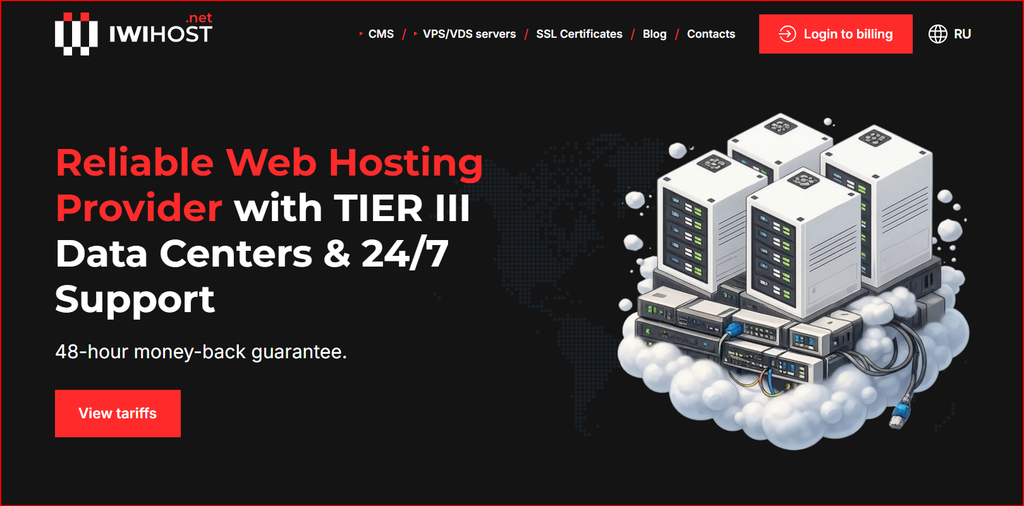
IWIHOST homepage screenshot used during this September 2026 review.
How I Tested the Database Use Case
I planned a small PostgreSQL deployment with one application database, automated nightly backups, a restricted administrative user, and remote access allowed only from a trusted application host or VPN. I looked first at memory because PostgreSQL uses RAM for shared buffers, connection processes, sorting, and the operating-system cache. One gigabyte can work for a very small test database, but I would not choose it for a growing production application with several concurrent users.
I then mapped storage needs: database files, WAL, package updates, logs, and backup staging all compete for disk space. A plan that looks sufficient for today’s database can become cramped quickly if backups are stored locally. My preference is to keep only short-lived backup copies on the VPS and move durable backups to separate storage.
Why KVM and NVMe Matter
KVM provides a normal Linux VM environment where I can tune kernel settings, install the PostgreSQL packages I want, configure systemd, and manage firewall rules. That control is important for a database server because shared-hosting limits would make many standard administrative tasks impossible.
NVMe is a sensible storage choice for a database workload because random reads and writes matter. However, the word NVMe alone does not describe all real-world storage behavior. I would monitor I/O wait, checkpoint behavior, WAL growth, and query latency under the actual application workload rather than assume the storage label guarantees a particular benchmark.
Sizing RAM and CPU
For a modest application I would start at 2 GB only if the connection count is low and the database is small. Once background jobs, reporting queries, extensions, or several application services share the server, moving to 4 GB or more becomes more comfortable. The Stronghold tier at 12 GB is a much more realistic starting point for a database that matters to a business and needs headroom.
CPU sizing depends on query complexity and concurrency. More vCPUs help parallel work and multiple active sessions, but inefficient queries can waste any amount of CPU. I would enable pg_stat_statements, inspect slow queries, and tune indexes before solving every performance problem by buying a larger VPS.
Backups and Recovery
My minimum design is nightly logical or physical backups stored off-server, plus a documented restore test. A backup that has never been restored is only a hope. For databases with tighter recovery objectives, I would add WAL archiving or another point-in-time recovery method and keep the archive outside the VPS.
I would also define what happens if the entire server is lost: which package versions are needed, where configuration is stored, how DNS or application connection strings are changed, and who has the credentials. Those recovery details matter more than a marketing uptime percentage when an incident actually occurs.
Location and Network Design
I would place the database close to the application servers rather than close to administrators. If the application and database communicate across regions, every query pays that network distance. For a single-server deployment, placing both services on the same VPS is simple but increases the blast radius; separate hosts provide better isolation once the workload justifies the extra cost.
IWIHOST advertises many global locations, which is useful when data residency or customer geography matters. Before choosing a region I would test route quality from the application environment and confirm that the required plan is actually available there.
Pricing and Plan Choice
Core and Shield are inexpensive entry points for development, staging, tiny internal databases, and learning. For production data, the right plan should leave enough RAM and disk headroom for backups, maintenance, and growth. I would rather run a small application on a slightly oversized VPS than operate constantly at 90 percent memory or storage usage.
The pricing table is a September 2026 snapshot, so buyers should confirm the current plan and location inventory. The monthly VPS cost is only one part of database ownership; backup storage, monitoring, administration time, and recovery planning also belong in the budget.
| Plan | Monthly price | vCPU | RAM | NVMe | Port |
|---|---|---|---|---|---|
| Core | $4.99 | 1 | 1 GB | 10 GB | 500 Mbit/s |
| Shield | $6.99 | 2 | 2 GB | 30 GB | 500 Mbit/s |
| Stronghold | $21.99 | 6 | 12 GB | 90 GB | 500 Mbit/s |
| Fortress | $29.99 | 8 | 16 GB | 150 GB | 500 Mbit/s |
| Titan | $44.99 | 12 | 24 GB | 200 GB | 500 Mbit/s |
Pricing snapshot: September 2026. Exact pricing, inventory, and location availability can change; verify current checkout information before purchase.
Security and Maintenance
I would bind PostgreSQL only to the interfaces that need it, use firewall rules, enforce strong credentials, keep the operating system and database patched, and avoid exposing port 5432 to the entire internet. TLS should be used for remote database connections, and application users should receive only the privileges they require.
Routine maintenance should include vacuum monitoring, log rotation, disk alerts, backup verification, and query review. If a team does not want to own these tasks, a managed database service may be the better operational choice even if the raw VPS looks cheaper.
What I Liked
I liked the straightforward KVM model, NVMe storage, and the clear jump from small entry plans to larger RAM tiers. That makes the service easy to reason about for self-managed PostgreSQL. The 500 Mbit/s port on the representative plans is also more than enough for many application-to-database workloads when the application is sensibly located.
I also value checking an independent review alongside the provider’s own site because hosting specifications are easier to evaluate when more than one source is considered.
For a second perspective, I also checked this IWIHOST.net review alongside the provider information before finalizing my notes.
What I Would Improve
I would like more public documentation on backup options, snapshots, rescue access, disk expansion, and in-place upgrades between plans. Database operators care about what happens during failure and scaling, not only initial provisioning.
A region-by-region inventory page would also help. If a specific data residency location is mandatory, the team should know which RAM and storage tiers are available before designing the database architecture.
My Test Notes
IWIHOST looks most suitable for database users who are comfortable operating Linux and PostgreSQL themselves. The lower plans are attractive for testing, but I would choose more RAM for any database tied to revenue or important customer data.
The real success criteria are boring but essential: enough headroom, restricted network access, off-server backups, monitoring, and tested restoration. KVM and NVMe provide a capable foundation; reliable database operations still depend on how the server is configured and maintained.
FAQ
Can I run PostgreSQL on IWIHOST?
Yes. A KVM Linux VPS is a standard environment for self-managed PostgreSQL.
How much RAM should I choose?
It depends on database size, connection count and queries. I would use 1 GB only for tiny test workloads and choose more headroom for production.
Does NVMe remove the need for tuning?
No. Query design, indexes, memory settings and maintenance still matter.
Where should backups be stored?
Keep durable backups off the VPS and test restoration regularly.
Conclusion
After working through the setup, pricing and limitations, my view is that IWIHOST database VPS is worth considering when the project matches the use case above and the team is prepared to test the exact region, tool or workload before scaling. I would start small, document the configuration, and expand only after the workflow produces consistent results. The service should be treated as one layer of a responsible technical process, not as a shortcut around platform rules, security controls, or sound operations.
