
I started this hands-on test by evaluating ProxyLine proxies for localization testing as the network or infrastructure layer for this specific workflow. Localization testing is one of those tasks that looks easy until a site has several countries, currencies, languages, regional promotions, and redirect rules. A page can be technically online and still show the wrong price, cookie banner, shipping message, legal notice, or language for a visitor in another market. I tested ProxyLine as the network layer for a structured website-localization QA workflow, focusing on fixed country-specific addresses, dedicated versus shared IPv4, IPv6 compatibility, SOCKS5/HTTP support, and the ability to keep one network identity attached to one test profile while a bug is investigated.
I did not treat the proxy as proof that a page is correct for every real user in a country. IP location is only one signal; browser locale, cookies, account state, CDN behavior, and URL parameters can also change the result. My goal was narrower and more useful: create a repeatable geo-check process where a QA person can say which endpoint, browser profile, URL, and expected localization rule were used, then reproduce the same check after a fix.
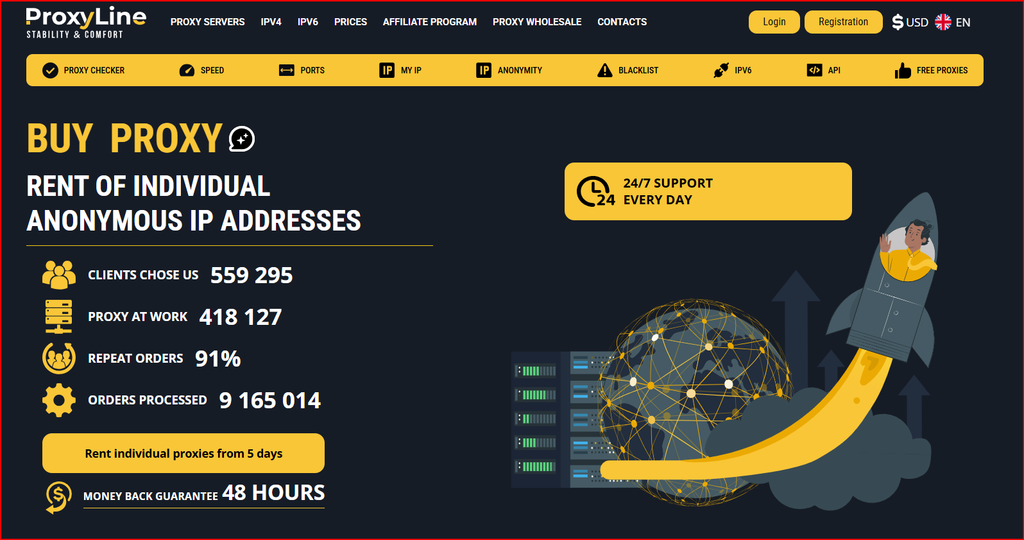
ProxyLine homepage screenshot used during this September 2026 review.
How I Tested the Localization Workflow
I built a small matrix with country, expected language, currency, tax treatment, shipping message, cookie-consent version, and target URL. Each market received its own browser profile and proxy label. Before opening the site, I verified the visible IP and country, then loaded the page in a fresh session and captured a screenshot. If the result looked wrong, I repeated the same check without changing several variables at once. That discipline made it easier to tell whether the problem came from geolocation, cookies, the application, or a redirect rule.
I also checked how the same endpoint could be reused across a short regression cycle. A fixed address is useful here because it allows the developer and QA person to compare before-and-after behavior with a stable network identity. For scripted smoke tests I would log the proxy label, target URL, HTTP status, final redirected URL, detected language, and any currency marker so failures can be reviewed later rather than disappearing into a generic pass/fail result.
Dedicated IPv4 vs Shared IPv4
For high-priority markets I prefer individual IPv4 because it gives the cleanest test baseline. The address is assigned to one customer, so another subscriber is less likely to affect the reputation or behavior associated with that IP during the QA window. Shared IPv4 can still be useful for public-page checks where exclusivity is not important and the team wants to keep the budget low.
I would not assume that dedicated automatically means every site will trust the connection. The value is repeatability, not invisibility. If a target site blocks or challenges the endpoint, I would first verify the request pattern and site rules before changing infrastructure. In localization QA, stable conditions are usually more useful than aggressive rotation.
Where IPv6 Fits
IPv6 can be economical and technically clean when the website, CDN, monitoring tool, and browser path all support it. I would test it separately rather than assuming an IPv6 result is interchangeable with IPv4. Some legacy integrations and third-party services still behave differently, so a localization matrix should record which network family was used.
For a modern site that supports both families correctly, IPv6 is a valuable extra test case. It can uncover issues hidden from an IPv4-only QA routine, especially when a CDN or geolocation provider maintains separate data paths. The right approach is to treat IPv6 as an additional compatibility dimension, not simply a cheaper version of IPv4.
SOCKS5 and Browser Tool Compatibility
SOCKS5 is useful when the testing application supports it directly or when traffic beyond standard HTTP needs to follow the proxy route. HTTP/HTTPS proxy configuration is simpler for many browsers and request libraries. I tested the workflow concept by keeping the protocol choice explicit in the test notes so that two QA sessions do not accidentally compare different network setups.
In a team environment I would store credentials securely and reference proxies by internal names such as FR-localization-01 or DE-checkout-02. Copying raw credentials into chat or spreadsheets makes the workflow harder to audit. A small configuration file or secret manager is a better long-term pattern, particularly when several testers need the same market setup.
Pricing and How I Would Buy
ProxyLine’s short rental options are useful for release cycles. A five-day lease can cover a launch or redesign, while a 30-day or longer term makes more sense for continuous localization regression testing. I would begin with individual IPv4 in the revenue-critical markets, then add shared or IPv6 endpoints where the risk is lower and the site supports them well.
The important cost metric is not price per IP in isolation; it is cost per reproducible market test. One suitable endpoint in each required country can be more valuable than a large cheap pool with no clear mapping to the QA plan. I would validate the country and site behavior first, then expand only after the workflow is documented.
| Plan / type | Typical price | Rental term | Best fit |
|---|---|---|---|
| IPv4 Shared | from about $0.58-$0.99 per IP/month | 5-360 days | Low-cost public page checks |
| Individual IPv4 | from about $1.22-$1.77 per IP/month | 5-360 days | Repeatable country-specific QA |
| IPv6 | from about $0.41-$0.51 per IP/month | 5-360 days | IPv6-compatible websites |
| Specialized / MTProto | varies | varies | Protocol-specific workflows |
Pricing snapshot: September 2026. Exact pricing, inventory, and location availability can change; verify current checkout information before purchase.
What I Liked
I liked the straightforward fixed-proxy model because it matches the way QA teams think: one test profile, one market, one network identity. The range of address types gives room to balance cost and exclusivity instead of forcing every use case into one plan. Short rental terms also make sense for temporary campaigns, redesigns, and release validation.
I also like that the product can be used with normal browser and scripting tools rather than requiring a proprietary test environment. That keeps the process portable. If a team later changes its browser automation stack, the network layer can remain conceptually the same.
Before finalizing the workflow, I rechecked the current offer on the ProxyLine English website so the plan details matched the provider’s English-language website.
What I Would Improve
I would like more localization-specific setup examples: Chrome and Firefox profiles, Playwright, Selenium, curl, and simple scripts that confirm country and final redirect before running a larger test. A public inventory view showing available countries and cities before checkout would also make planning easier for agencies that test many markets.
I would also like clearer documentation on IP replacement and troubleshooting expectations for short leases. QA teams often work under launch deadlines, so knowing the fastest path when an endpoint does not behave as expected is important.
My Test Notes
The main advantage I found is methodological rather than dramatic. ProxyLine makes it easy to create stable country-specific test conditions. That is exactly what a localization team needs when verifying language, currency, checkout copy, and redirects. It does not replace browser-locale testing or real-user monitoring, but it gives the team a controlled network variable.
I would use it as part of a three-layer process: fixed geo proxy, controlled browser profile, and documented expected behavior. If those three pieces are kept consistent, a regression report becomes much more useful to developers and marketers.
FAQ
Can ProxyLine help test localized websites?
Yes. Fixed country-specific proxies can help reproduce how a public website behaves from selected markets, alongside browser locale and cookie controls.
Should I use dedicated IPv4?
For important regression tests I prefer individual IPv4 because exclusive use creates a cleaner baseline.
Does a proxy guarantee the exact experience of a real local customer?
No. IP location is only one signal. Browser language, cookies, account state, device and CDN logic can also affect the experience.
Can I test IPv6 separately?
Yes, and I recommend treating IPv6 as its own compatibility case rather than assuming it behaves identically to IPv4.
Conclusion
After working through the setup, pricing and limitations, my view is that ProxyLine localization QA workflow is worth considering when the project matches the use case above and the team is prepared to test the exact region, tool or workload before scaling. I would start small, document the configuration, and expand only after the workflow produces consistent results. The service should be treated as one layer of a responsible technical process, not as a shortcut around platform rules, security controls, or sound operations.
